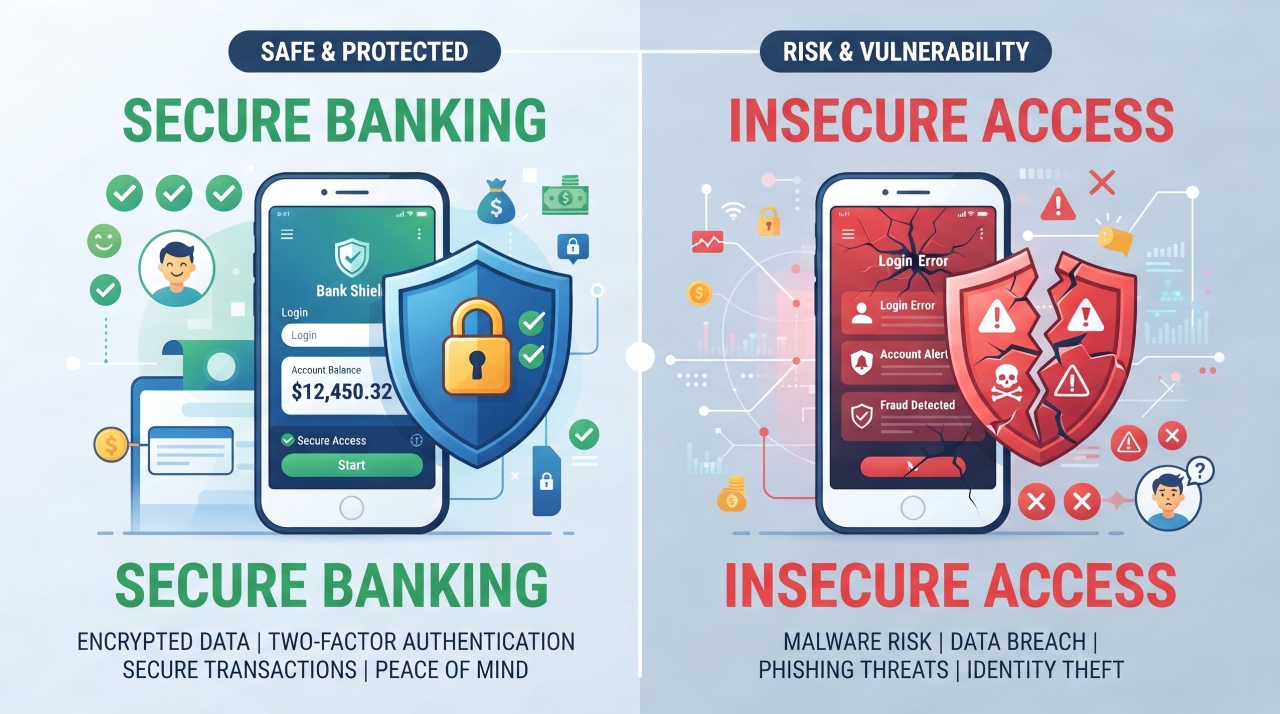
Banks report over $4 billion stolen from online accounts annually, with victims losing an average of $12,000 per incident. That staggering number comes from law enforcement agencies tracking cybercrime trends. Most people think their money is completely safe in digital banks, but the reality is much different. Criminals target online banking accounts every single day using clever tricks and sophisticated technology. This article will explain the real threats you face, show you exactly how hackers steal money, and teach you practical steps to protect yourself. You will learn simple changes that stop most attacks before they happen.
Why Digital Banking Security Should Worry You
Online banking fraud destroys lives in ways many people do not realize. Someone can drain your entire account in minutes once they have your login information. Banks sometimes refuse to refund stolen money if they think you were careless with your security. The emotional toll of having your account compromised goes beyond the financial loss.
A single successful hack can take weeks or months to recover from. You might spend hours on phone calls with your bank, filing police reports, and fixing your credit. During this time, your money is gone and you cannot access your accounts. Even worse, criminals use your stolen identity to open new accounts in your name.
Most people feel safe because they assume their bank has total protection. The truth is your bank can only do so much. You carry equal responsibility for keeping your accounts secure. Banks monitor for fraud, but you must prevent criminals from getting your passwords in the first place.
The Biggest Threats to Your Bank Accounts Right Now
Phishing emails look almost identical to legitimate messages from your bank. A criminal sends you an email saying your account was compromised and asks you to click a link to verify your identity. The link takes you to a fake website that looks exactly like your bank’s site. When you enter your username and password, it goes straight to the criminal.
Phishing text messages work the same way but feel more urgent. A text might say your card was declined and asks you to confirm your information. These messages often create panic that makes you act without thinking. Criminals count on people clicking links quickly without verifying the source.
Fake banking apps in app stores trap thousands of people monthly. A criminal creates an app with a name nearly identical to your real bank app. Once you download it and log in, they have your credentials. Your real bank app has security features this fake version lacks.
Public WiFi at coffee shops and airports puts your money at serious risk. When you check your bank balance on public WiFi, criminals can see your activity. They can intercept the data traveling between your phone and the bank’s servers. This allows them to capture your login information without you knowing.
Malware is software designed to harm your computer or phone. Some malware records every keystroke you make. When you type your password, the malware captures it and sends it to criminals. Other malware takes screenshots of your screen, recording everything you see.
SIM swapping is an attack where criminals convince your phone company to transfer your phone number to their phone. Once they control your number, they can reset your bank passwords. They receive the verification codes meant for you. This attack bypasses most security measures because they control your phone number.
Data breaches at stores and websites expose millions of banking details annually. When you use your debit card at a store, that card information is stored in their system. If criminals hack the store, they steal thousands of card numbers at once. Your information might already be in criminal marketplaces online.
OUTBOUND LINK PLACEMENT: For more information on reporting fraud, visit the FBI Internet Crime Complaint Center at ic3.gov
How Hackers Actually Steal Your Banking Information
Successful attacks follow a predictable pattern that criminals repeat constantly. First, criminals gather basic information about you from social media and public records. They learn your full name, city, employer, and other details. This information makes their phishing emails feel authentic when they reference your life.
Next, they send phishing emails or texts that appear to come from your bank. The message creates urgency by claiming suspicious activity or security problems. They include a link that looks legitimate but actually leads to their fake site. Most people click without thinking because they worry about their accounts.
When you enter your username and password on the fake site, criminals capture this information immediately. Some criminals use this access right away to steal money. Others sell your credentials to other criminals on the dark web. Your information might be used by multiple people without your knowledge.
Keylogger software works silently on your device. It records every letter and number you type. When you enter your password, the keylogger captures it. Criminals extract this information later and use it to access your accounts.
Man in the middle attacks happen when criminals position themselves between you and your bank. This is common on public WiFi networks. When you connect to the WiFi, your data passes through the criminal’s device first. They can see and modify everything traveling between your device and the bank.
Credential stuffing exploits passwords stolen from other companies. If your password from a retail store was exposed in a hack, criminals try that same password on your bank account. Many people reuse passwords, so this works frequently. Once they are in one account, they try to access your other accounts with the same password.
What Banks Do to Protect Your Money
Banks use encryption to scramble your information into code that criminals cannot read. When you connect to your bank’s website, an encrypted connection forms between your device and their servers. Information traveling through this connection looks like random characters to anyone trying to intercept it. Only your device and the bank can decrypt the information.
Fraud monitoring systems track every transaction you make. These systems use artificial intelligence to notice unusual patterns. If you normally spend $50 weekly on groceries but suddenly spend $5,000 on electronics, the system flags it. Banks can stop suspicious transactions before they complete.
Automatic alerts notify you of important account activity. You can set alerts for large transfers, new beneficiaries added, or login from new locations. These alerts reach you by email or text message. You can then verify if the activity was actually you or fraudulent.
FDIC insurance protects deposits up to $250,000 per depositor per bank. If your bank fails, the government guarantees your money is safe up to this limit. This protection does not cover fraudulent transfers or hacking losses. Your bank must prove you caused the fraud yourself to deny coverage.
Banks have legal requirements to notify you of security breaches. They must maintain minimum security standards and train employees. They monitor for suspicious patterns and employ cybersecurity specialists. These protections help but cannot stop all fraud.
The responsibility for security is shared between you and your bank. Your bank secures their systems, but you must secure your passwords and devices. Your bank monitors for fraud, but you must monitor your accounts. Thinking security is only the bank’s job leaves you vulnerable.
Creating Passwords That Actually Keep Hackers Out
Most passwords get cracked in seconds using special software. Criminals use password cracking programs that try billions of combinations per second. Common passwords like “123456” or “password” are cracked instantly. Even passwords people think are clever, like “Qwerty123,” are in dictionaries criminals use.
Strong passwords use combinations of uppercase letters, lowercase letters, numbers, and special characters. Length matters significantly because longer passwords take exponentially longer to crack. A 12 character password with mixed characters is exponentially harder to break than an 8 character password. Aim for at least 12 characters, though 16 is better.
Memorable passwords are hard to create because truly random characters are difficult to remember. One strategy is using a passphrase of random words strung together. For example, “BlueMountainCoffeeThursday” is easier to remember than “Bp#8$kL92x” but harder to crack than obvious phrases. Add numbers and symbols to the passphrase for extra security.
Password managers store all your passwords in an encrypted vault. You remember one master password, and the manager remembers hundreds. Password managers generate completely random passwords that are nearly impossible to crack. They automatically fill in passwords so you never type them where criminals might see.
Every account needs a unique password because if one password is exposed, criminals try it everywhere. Using the same password across accounts means one data breach compromises everything. Password managers make this easy by generating different passwords for each site. The slight inconvenience of unique passwords prevents catastrophic damage.
Change passwords immediately if you suspect compromise, but changing perfectly safe passwords monthly provides little benefit. Constantly changing passwords often makes them weaker as people use simpler combinations. Change passwords when you learn of breaches or if you have reason to suspect unauthorized access.
Common mistakes include using dictionary words, personal information, or sequential numbers. Never use birthdays, pet names, or family member names as passwords. Do not use predictable sequences like “qwerty” or “12345.” Avoid keyboard patterns or repeating characters.
Two-Factor Authentication: Your Best Defense
Two-factor authentication requires something you know (password) and something you have (like your phone). Even if a criminal steals your password, they cannot log in without your second factor. This single change stops most hacking attempts because most criminals go after easier targets.
SMS code authentication sends a code to your phone via text message. When you log in, the bank sends a code that only you can receive. You enter this code to complete login. A criminal needs your password AND your phone to get in.
Authenticator app authentication uses an app on your phone that generates new codes every 30 seconds. The bank and your phone use the same secret to generate matching codes. The codes change constantly, so even if someone sees one code, it will not work later. This method is more secure than SMS because it does not rely on your phone network.
Hardware key authentication uses a physical device you connect to your computer. Only that specific device can authorize login to your account. This is the most secure option but costs money and is less convenient. Banks and email providers sometimes offer hardware keys for people with high security needs.
Setting up authenticator apps takes just minutes. Download an app like Google Authenticator or Authy from your phone’s app store. When your bank asks you to set up two-factor authentication, it will provide a QR code. Scan this code with the authenticator app, and it starts generating codes for that account.
Backup codes are critical and most people ignore them. Download a trusted authenticator app like Google Authenticator from your phone’s official app store to start generating secure codes for your bank account today. When you set up two-factor authentication, your bank gives you backup codes. If you lose access to your phone, these codes let you recover your account. Write them down and store them somewhere safe, completely separate from where you keep your phone.
Spotting Phishing Scams Before They Hook You
Legitimate banks never ask for passwords through email. Banks will never send you links to click in emails asking to verify information. Any email asking you to confirm login credentials is definitely a phishing scam. Real banks direct you to their official app or website, never through email links.
Verify legitimate bank communications by logging in to your account directly. If an email says you have a security alert, log in to your account through the official banking app or website. Check your alerts directly in your account. Do not click any links from the email.
Phone call scams use the same tactics as email phishing. A caller claims to be from your bank and says your account has suspicious activity. They ask you to verify personal information or passwords. Real banks never call asking for passwords. If you receive such a call, hang up and call your bank directly using the number on your card.
Text message phishing often uses urgency to make you act quickly. A text might say your card was declined or your account is locked. It includes a link to click. Criminals know people respond faster to urgent messages. Real banks might text you about fraud, but they will not include links to click or ask for personal information via text.
Fake websites look nearly identical to real banking sites. Check the web address carefully. The real address might be “mybank.com” while the fake is “mybank-secure.com” or “mybanksite.com.” Look for the padlock symbol indicating encryption. Hover over links before clicking to see the real destination address.
What you should check before clicking any link includes the sender’s email address, grammar and spelling, sense of urgency, and request for personal information. Emails from real banks have professional formatting and correct spelling. Phishing emails often have poor grammar or misspelled words. Criminals rush you by claiming immediate action is needed.
Real examples show how convincing these scams are. One phishing email said “Your account has been frozen due to suspicious activity. Click here to verify your identity immediately.” The email looked professional and included the bank’s logo. The link led to a fake site that captured login information from thousands of people.
If you think you fell for a scam, change your password immediately using the official banking app or website. Call your bank directly to report the incident. Monitor your account closely for unauthorized transactions. Consider freezing your credit to prevent identity theft.
Safe Mobile Banking Practices That Actually Work
Download apps only from official stores. For iPhone use the Apple App Store exclusively. For Android use Google Play exclusively. Criminals sometimes upload fake apps to these stores, but official stores review apps more carefully. Never download banking apps from third party stores or websites.
Verify app authenticity by checking the publisher name carefully. Legitimate banks publish their official apps under their company name. Before downloading, read recent reviews noting if people report problems. Check the app’s permissions to ensure they make sense for banking. A banking app should not need access to your contacts or camera.
Keep your phone operating system updated automatically. Operating system updates patch security vulnerabilities that criminals exploit. Phones with outdated systems have weaknesses criminals can use to install malware. Enable automatic updates so you always have the latest security patches.
Use biometric login such as fingerprint or face recognition when your bank offers it. Biometrics are much harder to steal than passwords. Even if someone has your phone, they cannot log in without your fingerprint. Set up biometric authentication in your banking app right now if available.
Avoid banking on public or borrowed devices. Public computers in libraries or internet cafes might have malware. Borrowed phones might belong to someone with malicious apps installed. Only use your own personal device for banking. If you must access your account elsewhere, use only official banking apps and secure WiFi.
Remote wipe features let you erase your phone if it is stolen. Set up remote wipe so if your phone is lost, you can delete your banking app and stored information. Your bank might offer this feature through their app. Your phone’s manufacturer also provides remote wipe through your cloud account.
Never grant excessive app permissions. Banking apps do not need access to your photos, location, or contact list. Review permission requests carefully before allowing them. Disable permissions your banking app does not actually need. Restrict location services, photo access, and microphone access unless essential.
The Public WiFi Trap and How to Avoid It
Public WiFi networks are dangerous for banking because they have no encryption. When you connect to free WiFi at a coffee shop, anyone on that network can see your activity. If you log into your bank account, criminals on the same network can intercept your password. They can modify data traveling between your device and the bank’s servers.
Criminals create fake WiFi networks that mimic legitimate ones. A network might be named “CoffeeShopWiFi” even though it is actually run by a criminal. When you connect to this fake network, all your data passes through the criminal’s computer. This allows them to see everything you do and modify information they intercept.
Virtual private networks encrypt all your data so even if someone intercepts it, they cannot read it. A VPN works by routing all your internet traffic through an encrypted tunnel. Anyone trying to intercept your data sees only encrypted information they cannot decode. VPNs are your best defense when using public WiFi.
Paid VPN services are more reliable and faster than free ones. Free VPNs sometimes sell your data to advertisers or have security vulnerabilities. Paid services like ExpressVPN, NordVPN, or Surfshark cost around $10 monthly and provide strong protection. They do not log your activity and maintain strict privacy standards.
Mobile data from your phone plan is safer than public WiFi for banking. Your phone’s data connection uses encryption that protects your information. Banks recommend using mobile data instead of WiFi for sensitive transactions. Turn off WiFi when checking your bank account and use your phone’s data instead.
Signs a WiFi network might be fake include network names that look suspicious, networks with no password, and networks set up in unusual locations. If a coffee shop’s WiFi name differs from what is posted, do not connect. Networks without passwords are often fake because real networks usually require them.
It is safe to check your account balance on public WiFi if you use a VPN. Viewing your balance does not involve sensitive changes. However, your login information is still transmitted, so a VPN is still recommended. For any transfers or sensitive changes, use mobile data or wait until you are home on your secure WiFi.
Protecting Yourself from Identity Theft
Identity theft happens when criminals use your stolen personal information to open accounts. They might apply for credit cards, take out loans, or open bank accounts in your name. This damages your credit score and takes months or years to fix. Stolen bank information is often used for identity theft on top of direct account fraud.
Criminals need specific information to open accounts. They need your full name, address, Social Security number, date of birth, and mother’s maiden name. They get this information from data breaches, by stealing mail, or through social engineering. Limiting what information you share reduces the damage if your accounts are compromised.
A credit freeze stops anyone from opening accounts in your name without your permission. You contact the three credit bureaus and place a freeze on your credit. Banks cannot pull your credit report if it is frozen, so they cannot approve accounts. You can lift the freeze temporarily when you apply for legitimate credit.
Fraud alerts notify credit bureaus to verify your identity before extending credit. Alerts last one year but do not prevent account opening. Freezes are more protective but slightly less convenient because you must lift them temporarily when applying for legitimate credit. Consider using both freezes and alerts for maximum protection.
Monitor your credit reports for free through annualcreditreport.com. You can check all three reports once yearly at no cost. Look for accounts you did not open, addresses you have not lived at, or inquiries you did not authorize. Reporting errors immediately can stop identity theft before it spreads.
Shred documents with account information before throwing them away. Criminals dig through trash looking for bank statements and other documents with personal details. A simple shredder costs about $30 and prevents criminals from finding your information this way.
Social media oversharing gives criminals the information they need. Do not post your birthday, mother’s maiden name, or pet’s name online. Do not share your home address or place of work. Criminals use this publicly available information to answer security questions and recover accounts.
Monitoring Your Accounts Like a Pro
Check your accounts weekly for unauthorized activity. Log into your banking app and review all transactions from the past week. Look for any charges you did not make or transfers you did not authorize. Catching fraud quickly limits damage because you can dispute charges within a certain timeframe.
Set up automatic alerts for large transactions. Most banks let you set alerts for deposits over certain amounts or withdrawals above thresholds. You can set alerts for transfers to new beneficiaries. You receive notifications by text or email about these important activities.
Recognize unauthorized charges by their patterns. If your typical purchases are $50 per week but you suddenly see $500 charges, something is wrong. Repeated small charges might test if you are monitoring your account before larger fraud follows. Charges from unfamiliar companies are red flags worth investigating.
Dispute fraudulent transactions through your bank immediately. Contact your bank by phone or through your banking app. Provide details about the unauthorized charge. Your bank will investigate and typically refund the money within 10 business days while investigating. Do this quickly because dispute deadlines exist.
Keep records of all transactions and disputes for your files. Document dates, amounts, and the resolution. This information helps if disputes escalate or if you need to prove the fraud later. Screen shot suspicious transactions and keep them in a secure folder.
Third party monitoring services watch your credit and accounts for suspicious activity. Services like LifeLock or Aura provide alerts and identity theft insurance. These services charge monthly fees ranging from $10 to $30. Some people find the peace of mind worth the cost while others do fine with free monitoring.
Small charges sometimes signal bigger problems ahead. Criminals test stolen cards with small purchases before larger ones. A $1.99 charge from an unfamiliar company might be followed by larger fraud if you do not catch it. Dispute every unauthorized charge, no matter how small.
What to Do When Your Account Gets Hacked
In the first 24 hours, change your password immediately using a secure device. Do not use the same device where you suspect malware. Call your bank directly using the number on your card to report the fraud. Ask them to freeze your account temporarily while you sort things out.
Contact your bank the right way by calling the number on your banking card. Never use contact information from your account statements or the internet. Criminals sometimes intercept calls by redirecting phone numbers. Using the official number on your card ensures you reach your actual bank.
Freeze accounts to prevent more damage and new accounts from being opened. Ask your bank to place a fraud alert on your account. Request a new debit card and account number if fraud was severe. Most banks can issue temporary cards immediately for online access while new physical cards arrive.
Document everything for potential disputes and recovery. Write down dates, times, people you spoke with, and what was discussed. Save all emails and written communications from your bank. This documentation is crucial if disputes take longer than expected.
File reports with the police and FBI. Visit your local police station to file a report about the theft. Report the fraud to the FBI’s Internet Crime Complaint Center at ic3.gov. These reports create official records and help authorities track criminals.
Notify credit bureaus of the fraud immediately. Contact Equifax, Experian, and TransUnion. Request they place fraud alerts on your credit reports. Ask for copies of your credit reports to check for unauthorized accounts. Provide them with police report numbers for reference.
Recovery takes time and patience. Your bank typically refunds legitimate fraud within 10 business days for debit card fraud. Credit card fraud often takes longer. Throughout recovery, monitor your accounts, credit reports, and mail carefully. Full recovery might take weeks or months, but your persistence pays off.
Secure Banking on Different Devices
Computers need antivirus and antimalware software to prevent malware infections. Free options like Windows Defender provide basic protection. Paid software like Norton or McAfee offers more comprehensive protection. Antivirus software catches and removes threats before they steal your information.
Browser security settings should be enabled in your web browser. Enable warnings about unsafe websites. Disable auto-fill for passwords and financial information. Clear your browser history and cookies regularly. Keep your web browser updated to the latest version.
Tablets can be as vulnerable as phones to malware and attacks. Keep tablet operating systems updated. Download apps only from official app stores. Be cautious when logging into bank accounts on tablets. Consider using tablets primarily for reading rather than financial transactions.
Smart speakers and voice banking present different risks. Sharing account details through voice commands could be recorded. Only authorized devices should have voice banking access enabled. Disable voice banking unless you actively use it. Make sure no one else can access your accounts through shared devices.
Older devices become security risks as they stop receiving updates. Manufacturers eventually stop supporting old devices with security patches. Do not continue using decade old computers or phones for banking. Upgrade to newer devices that still receive regular security updates.
Keep all devices updated automatically. Enable automatic updates in your settings. Do not ignore notifications prompting you to restart for updates. These updates contain critical security patches that protect against known threats. Delaying updates leaves you vulnerable to exploited vulnerabilities.
Teaching Your Family Digital Banking Security
Protecting elderly parents from scams requires regular conversations about security. Explain that banks never call asking for passwords. Make sure they understand common phishing tactics. Help them set up two-factor authentication and strong passwords. Check their accounts regularly to catch fraud quickly.
Age appropriate lessons for teenagers should cover password safety and phishing awareness. Explain why they should never share passwords, even with friends. Teach them to verify links before clicking. Show them how to recognize suspicious websites. Make digital banking security part of their financial education.
Joint accounts with family members require discussing security practices. Establish which family members can make transfers. Agree on spending limits that do not require approval from other joint owners. Decide on monitoring and alert frequency. Make sure all parties understand responsibility for protecting the shared account.
Sharing account access without oversharing means giving limited permissions. Do not share master passwords with family members. Use separate logins with limited access instead. Many banks allow adding authorized users with restricted permissions. This protects your account while giving family members necessary access.
Warning signs that family members got scammed include sudden password changes they do not remember, unexpected bills or accounts, changes in spending or account access, and missing money. Take these signs seriously and investigate immediately. Help them recover rather than criticizing them for falling for scams.
Create a family security plan that everyone understands. Establish who manages accounts and who is responsible for monitoring. Create a communication plan for when you suspect fraud. Keep a list of account numbers and customer service numbers accessible to authorized family members. Review the plan annually and update as needed.
Conclusion
Digital banking security requires constant attention because criminals continuously develop new attack methods. The biggest threats include phishing, malware, public WiFi, and social engineering. Your bank provides protection, but you carry equal responsibility for defense. Taking small steps like enabling two-factor authentication and creating strong passwords prevents most attacks.
Security is not something you set up once and forget. You must monitor accounts regularly, update devices frequently, and stay alert to suspicious activity. The good news is that most protection requires minimal time and effort. Spending 30 minutes setting up proper security saves you from thousands in potential losses.
Do not wait for fraud to happen before taking action. Start protecting yourself today by enabling two-factor authentication on all important accounts. Change weak passwords immediately. Enable account alerts. Monitor your credit reports. These actions take less than one hour but provide enormous protection.
Your financial security is too important to leave to chance. Treat digital banking security with the same care you would use protecting physical cash. Your proactive approach today prevents devastating losses tomorrow.
Take Action Right Now
Enable two-factor authentication on your bank account before you finish reading this article. Download an authenticator app if your bank does not support SMS codes. Generate a strong, unique password using a password manager.
Check your account statements for any unauthorized activity. If you find fraud, contact your bank immediately using the number on your card. Document everything and file reports with authorities. Monitor your accounts weekly going forward.
Review your mobile banking app security settings. Enable biometric authentication. Check app permissions and disable unnecessary access. Keep your phone operating system updated automatically.
Share digital banking security tips with your family members. Have conversations about phishing and social engineering. Help elderly parents protect their accounts. Teach younger family members why security matters.
Schedule a monthly security review as part of your routine. Check accounts for unusual activity. Update passwords for accounts with the weakest security. Monitor credit reports for unauthorized accounts. These simple habits protect everything you have worked to build.